|
| AndFTP is a FTP, SFTP, SCP, FTPS client for Android devices. It allows managing several FTP servers. It comes with both a device file browser and a FTP file browser. It provides download, upload features with resume support and folder synchronization. Use device menu to rename, delete, copy, set permissions and create folders. It provides FTP (File Transfer Protocol), SFTP (SSH's secure File transfer protocol) support, SCP (Secure Copy Protocol) and FTPS (Explicit/Implicit FTP over TLS/SSL). |
| |
last update: 08/2025
AndFTP is an application for Android compliant devices. It's a full FTP (File Transfer Protocol) client. Main features are:
- FTP, SFTP, SCP and FTPS (Explicit and implicit) support.
- Device (local) and remote (FTP) file browsers.
- Back button support.
- Upload and download with resume support.
- Folders selection support for upload, download and delete.
- Folder synchronization (mirror remote/local).
- Active/Passive FTP mode support.
- Custom FTP and SCP commands support .
- Rename file(s) support.
- Delete file(s) support.
- Create folder(s) support.
- Copy/Paste support on device.
- Files/Folders details support.
- List files and folders sorted by name, size and date.
- Open file (HTML, MP3, Text, Video, ...) on device and remotely.
- Permissions setup support on FTP server.
- Multiple FTP settings support.
- Authentication prompt added to avoid storing FTP login/password on device.
- SSH RSA and DSA private key authentication support.
- Send file support (as email attachment, bluetooth, ...) for device browser.
- Optional "Tip of day".
- Intent to transfer files or directories.
- Share support for gallery.
- Settings file export and import (FileZilla support)
- Wake lock option while tranferring to prevent device sleeping.
- English, Spanish, German, French, Chinese, Japanese, Russian, Korean, Portuguese Brazilian, Serbian, Romanian, Hungarian and Turkish languages support.
All AndFTP features detailed in PDF available here.
 |
 |
 |
| Splash screen |
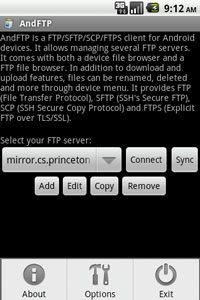
Manage FTP servers |
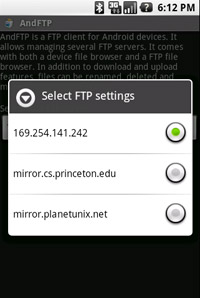
Select FTP server |
| |
|
|
 |
 |
 |
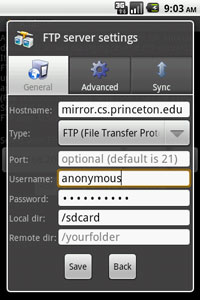
| Add FTP/SFTP/FTPS server settings |
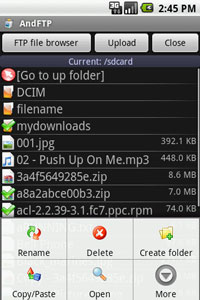
Handset file browser |
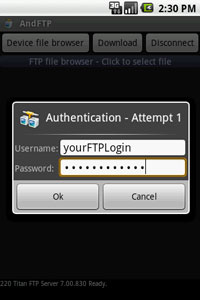
FTP authentication prompt |
| |
|
|
 |
 |
 |
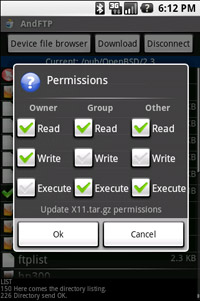
| FTP update permissions |
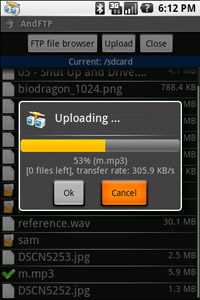
Uploading |
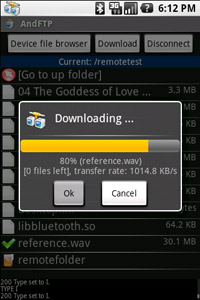
Downloading |
 |
 |
 |
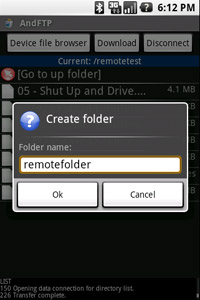
| Create folder |
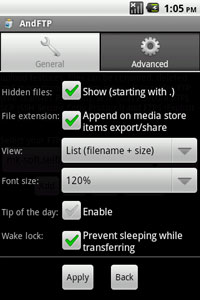
Options |
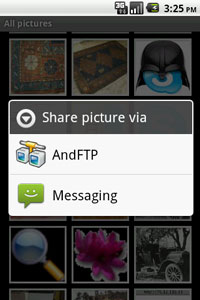
Share support |
 |
 |
 |
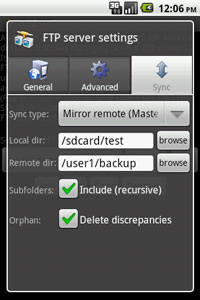
| Configure folder sycnhronization |
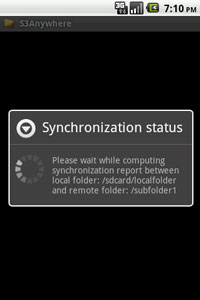
Compute synchronization |
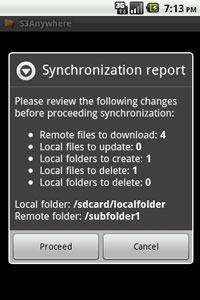
Synchronization report |
| |
Download APK for Android (free) |
v6.7  |
[apk] (Android 15+) |
| v6.1 |
[apk] (Android 11+) |
| v5.6 |
[apk] (Android 10+) |
| v5.2 |
[apk] (Android 9+) |
| v5.0.3 |
[apk] (Android 8) |
|
| Changes: |
- v6.7:
- Android 15+ security requirements.
- Secure SSH updated.
- v6.1:
- Android 11+ security requirements.
- New policies requirements.
- Secure SSH enabled by default.
- External selection added for private key.
- v5.6:
- SSH ED25519 support added.
- SSH known hosts key check added.
- SSH ecdsa key improved.
- SCP providers updated.
- FTPS data channel security option added.
- Android 10+ requirements.
- v5.2:
- Legacy SSH ecdsa key improved.
- Streaming bug fix.
- v5.1:
- Android 9+ requirements.
- Background sync updated/fixed.
- Minor UI bugs fixed.
- v5.0.3:
- Android 8+ new requirements support added.
- UI minor bug fixed.
- v4.5:
- UI improvements.
- FileZilla import bug fixed.
- Android 7.x support.
|
|
- How to use select a folder?
Long press on the folder name will select the folder. When selecting a folder then further operation (upload, download or delete) will be applied to all subfolders and files.
- How to use SFTP instead of FTP?
In FTP server settings, select SFTP (SSH File Transfer Protocol) in the drop down list.
- How to use SSH key authentication for SFTP?
In FTP server settings, fill in username and leave password blank. Then in advanced settings select OpenSSH private ke, fill in key password (optional) and save settings.
- How to use FTPS instead of FTP?
In FTP server settings, select FTPS (Explicit FTP over TLS/SSL) in the drop down list.
- I cannot change directory when I setup remote folder?
Did you start the remote folder with / ? If you want to setup myremotefolder then fill in /myremotefolder and it should work.
- How to move a file in a sub folder?
Select a file, then click on move from the menu and setup subfolder/newfilename in the target filename box.
- Does AndFTP provide an Intent to download files from FTP server?
Yes, you need to start an Activity for regular PICK intent with parameters data and the following type: vnd.android.cursor.dir/lysesoft.andftp.uri. For instance:
...
Intent intent = new Intent();
intent.setAction(Intent.ACTION_PICK);
// FTP URL (Starts with ftp://, sftp://, scp:// or ftps:// followed by hostname and port).
Uri ftpUri = Uri.parse("ftp://yourftpserver.com");
intent.setDataAndType(ftpUri, "vnd.android.cursor.dir/lysesoft.andftp.uri");
// FTP credentials (optional)
intent.putExtra("ftp_username", "anonymous");
intent.putExtra("ftp_password", "test@test.com");
// FTP settings (optional)
intent.putExtra("ftp_pasv", "true");
// Download
intent.putExtra("command_type", "download");
// Activity title
intent.putExtra("progress_title", "Downloading files ...");
// Remote files to download.
intent.putExtra("remote_file1", "/remotefolder/subfolder/file1.zip");
// Target local folder where files will be downloaded.
intent.putExtra("local_folder", "/sdcard/localfolder");
startActivityForResult(intent, 0);
Full Intents documentation is available here. More samples are available in the forum.
|