|
| AndExplorer is a free file manager for Android devices. It allows browsing files and folders stored on device and sdcard. It can sort by name, size and date. Copy/Paste, rename, delete, create folder, send file as email attachment features are available. It is able to uncompress ZIP, GZIP and TAR files too. Encrypted ZIP are supported. It can be called from another application through Intent facilities. No permission other than storage/write one is needed. AndExplorerPro provides search and ZIP archive support. |
| |
last update: 03/2014
AndExplorer is a file manager for Android compliant smart devices. Main features are:
- List files and folders sorted by name, size and date.
- Open file (HTML, MP3, Text, Video, Office ...) on device.
- APK install support.
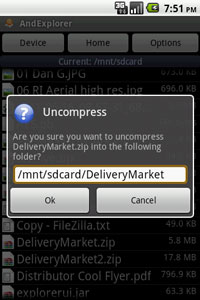
- Uncompress support for ZIP, GZIP and TAR files.
- Encrypted ZIP support
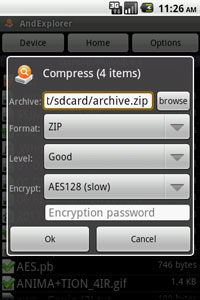
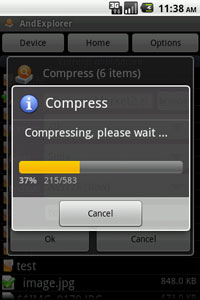
- ZIP compression support
Regular and UTF-8 encoding support for ZIP.
- Multiple files and folders selection support.
- Rename file(s) support.
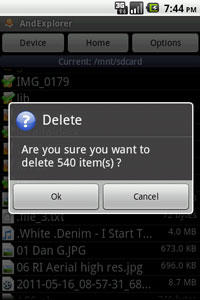
- Delete file(s) support.
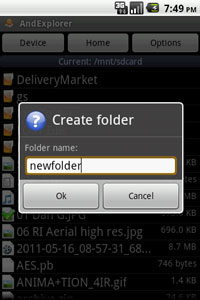
- Create folder(s) support.
- Cut/Copy/Paste support.
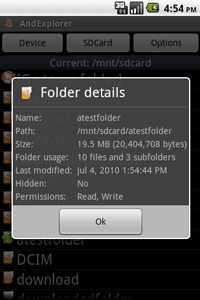
- Files/Folders details support.
- Search support

- Send file support (as email attachment, bluetooth, ...).
- Back button support.
- Show hidden files support.
- Optional "Tip of day".
- Intent to select file and/or directory (file extension filtering)
- Intent to Save As...
- Intent to uncompress file into SD Card.
- App2SD support.
- English, French, German, Spanish, Chinese, Japanese, Polish, Russian, Korean, Portuguese, Romanian, Serbian and Brazilian language support.
 |
 |
 |
| Splash screen (Japanese) |
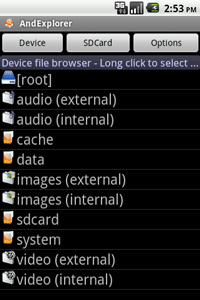
Device folders and media store |
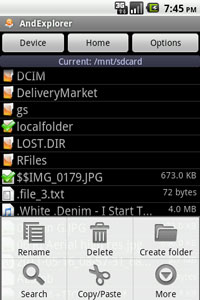
Context menu |
| |
|
|
 |
 |
 |
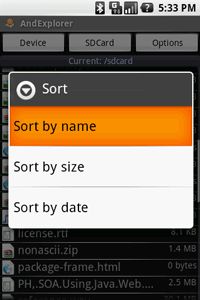
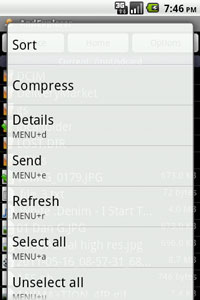
| Sort menu |
Folder details |
Create folder |
| |
|
|
 |
 |
 |
| Delete |
Unzip |
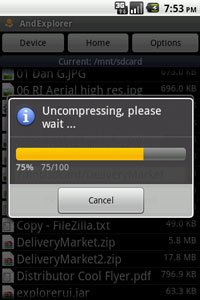
Unzipping |
 |
 |
 |
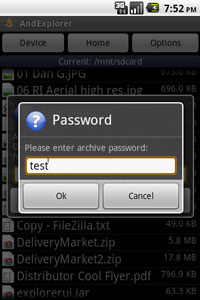
| Encrypted archive |
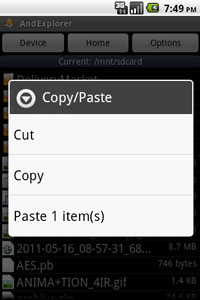
Cut/Copy/Paste |
Send (as email attachment) |
 |
 |
 |
| Compression |
Compression |
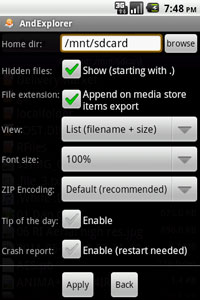
Options |
| |
|
|
| |
Download APK for Android (free) |
| V 3.0 |
[apk] [zip] |
| V 2.5 |
[apk] [zip] |
|
| Changes: |
- v3.0:
- Fastscroll support added.
- Android 4.4 support.
- Holo theme added.
- Minor bug and security fixes.
- v2.5:
- Device images/videos thumbnails support added.
- xlargeScreens support added.
- v2.4:
- GridView layout option added.
- Samsung multi-windows support added.
- All resolutions icons added.
- v2.3:
- Android 4.0 ICS display bugs fixed.
- v2.2:
- Standard ZIP encryption support added.
- Android 1.5 support bug fixed.
- v2.1:
- Encrypted ZIP (i.e. password protected) support added.
- Search (SDCard) feature added [Pro version only].
- ZIP compression support added [Pro version only].
- Multiple send feature added.
- 80% font scale option added.
- Home folder option added.
- Android 3.2 and 4.0 support.
- v1.9:
- App2SD support added.
- German translation added.
- Threading minor bug fixed.
- Android 3.1 support.
- v1.8:
- Romanian support added.
- Serbian support added.
- Optional properties added to improve "Save As" Intent.
- Android 2.3 and 3.0 support.
- v1.7:
- GET_CONTENT action support added (e.g. GMail attachment).
- Ascending/descending sort switch added.
- Slow display under Droid fixed.
- Portuguese translation added.
- Brazilian translation added.
- v1.6:
- File/folder details menu added.
- Usage (total size, amount of files and subfoders) in folder details.
- Recurse subfolders to display amount of files before deletion.
- Copy support from media store items (Audio/Images/Video) to SDCard.
- File extension for media store export option added.
- .wmv video mime-type added.
- ChangeLogs dialog added.
- Android 2.2 support.
- v1.5:
- Korean support added.
- Show hidden files option added.
- Contact support option added.
- Large screens support added.
- CrashReport enable/disable option added.
- .aac, .m3u, .m2a, .s3m, .log extensions added.
- v1.4:
- Polish support added.
- CrashReport feature added.
- .php, .asp, .jsp, .aspx, .cfm, .c, .java mapped to text/plain.
- v1.3:
- Back button support added.
- Browser title font size updated according to options.
- Exit item added in Menu.
- v1.2:
- Send file option added (as email attachment, bluetooth).
- Bug fix for filenames including #.
- zipalign applied.
- v1.1:
- Microsoft office mime-types added.
- Japanese support added.
- Spanish support added.
- Android 1.6 and 2.0 support added.
- v1.0:
- Intent options added to filter files by extensions:
browser_filter_extension_blacklist
browser_filter_extension_whitelist
- Chinese (CN/TW) support added.
- French support added.
|
|
- How to use select a folder ?
Long press on the folder name will select the folder.
- How to use copy/paste ?
Long press on files/folders name to make a selection then click on Menu->Copy/Paste. Go to your target folder and click on Menu->Copy/Paste to paste selection.
- How to increase font size ?
Click on "options" button and select font size.
- Does AndExplorer provide an Intent to select a file ?
Yes, you need to start an Activity for regular PICK intent with initial directory path URI as data and one of the following type (vnd.android.cursor.dir/lysesoft.andexplorer.file, vnd.android.cursor.dir/lysesoft.andexplorer.directory). For instance:
...
Intent intent = new Intent();
intent.setAction(Intent.ACTION_PICK);
Uri startDir = Uri.fromFile(new File("/sdcard"));
// Files and directories
intent.setDataAndType(startDir, "vnd.android.cursor.dir/lysesoft.andexplorer.file");
// Optional filtering on file extension.
intent.putExtra("browser_filter_extension_whitelist", "*.txt,*.mp3");
// Title
intent.putExtra("explorer_title", "Select a file");
// Optional colors
intent.putExtra("browser_title_background_color", "440000AA");
intent.putExtra("browser_title_foreground_color", "FFFFFFFF");
intent.putExtra("browser_list_background_color", "66000000");
// Optional font scale
intent.putExtra("browser_list_fontscale", "120%");
// Optional 0=simple list, 1 = list with filename and size, 2 = list with filename, size and date.
intent.putExtra("browser_list_layout", "2");
startActivityForResult(intent, 0);
...
Full documentation is available here. More samples are available in the forum.
- Does AndExplorer provide an Intent to uncompress files ?
Yes, you need to start an Activity for regular VIEW intent with file path URI as data and one of the following mime type (application/zip, application/x-gzip, application/java-archive, application/tar). For instance:
...
Intent intent = new Intent();
intent.setAction(Intent.ACTION_VIEW);
Uri uri = Uri.fromFile(new File("/sdcard/test.zip"));
intent.setDataAndType(uri, "application/zip");
// Optional custom title.
intent.putExtra("archiver_title", "Your title here");
startActivity(intent);
...
|